Adding MARTH’s healing melodies to your Instagram content is easier than ever. Whether you are sharing a peaceful moment or a creative message, you can use his music for free directly within the app.
Follow these simple steps to enhance your Posts and Reels:
Step-by-Step Instructions
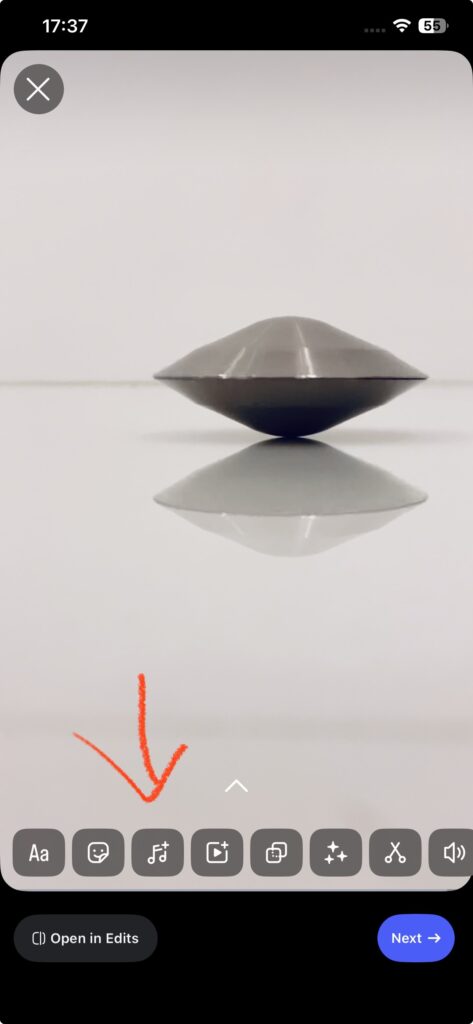
1. Upload your content
Start by creating a new “Post” or “Reel.” Select the video or photo you wish to upload.
2. Tap the Music icon
Tap the music note “♫” icon located in the editing menu.
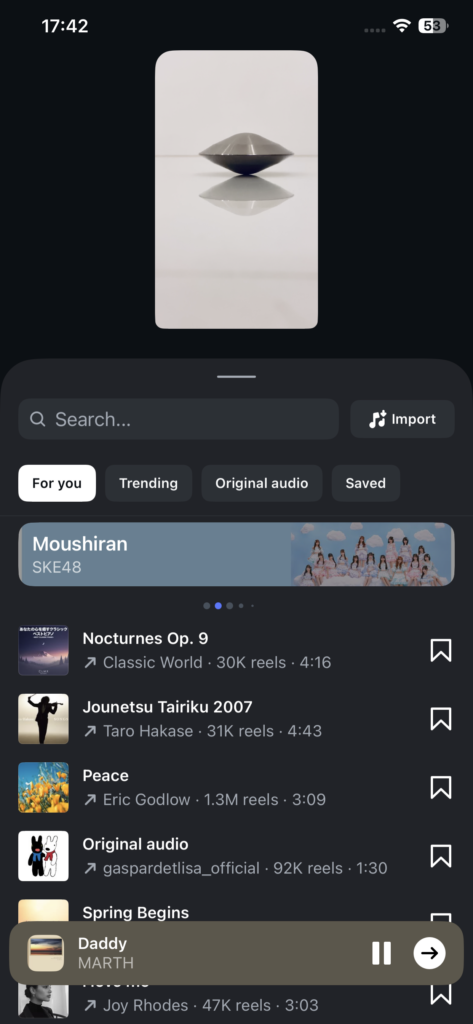
3. Search for the artist or song title
Enter keywords into the search bar.
[Pro Tip!] Searching in English, such as “MARTH” or “Daddy MARTH,” will yield more accurate results than searching in Japanese.
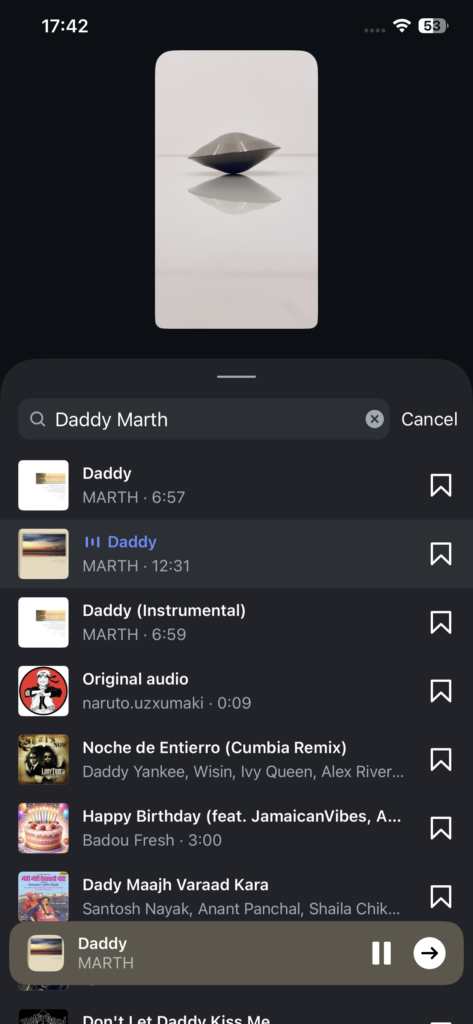
4. Select the music
Once you find the song you are looking for, tap the track or the album cover to select it.
- Example: In this guide, we are selecting “Daddy” from the album “HATENAKI.”
- Tap the “arrow” (→) button to proceed.
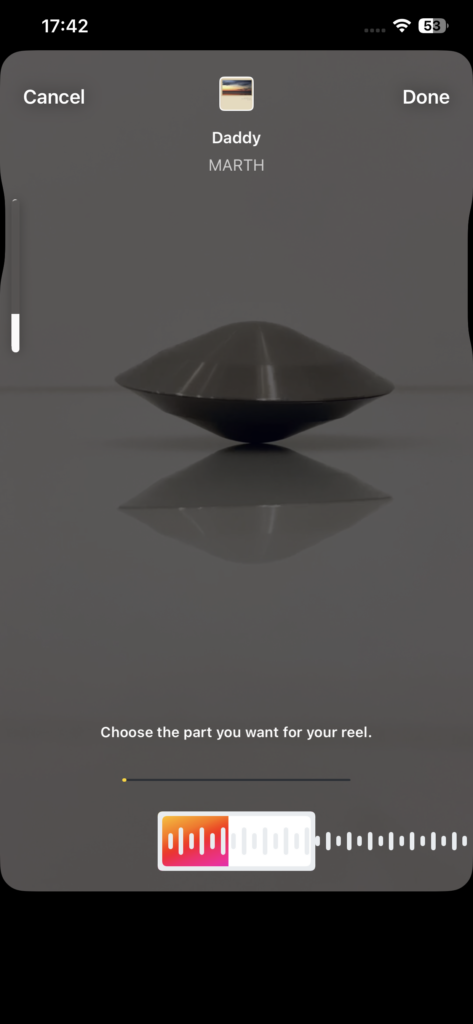
5. Adjust the segment
A waveform will appear. Drag it left or right to choose the specific part of the song you want to play in your video. When you’re happy with the selection, tap “Done.”
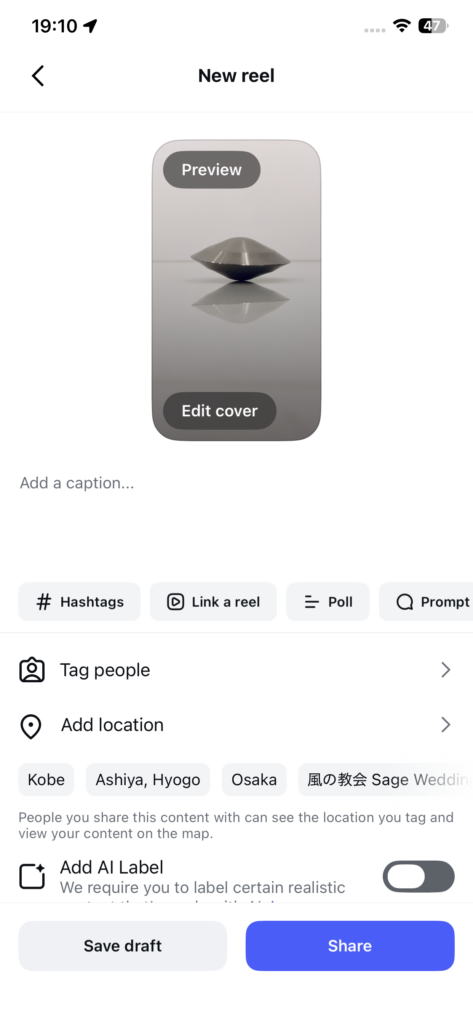
6. Share your creation
Finalize your caption and tags, then tap “Share” to upload. You’re all set!
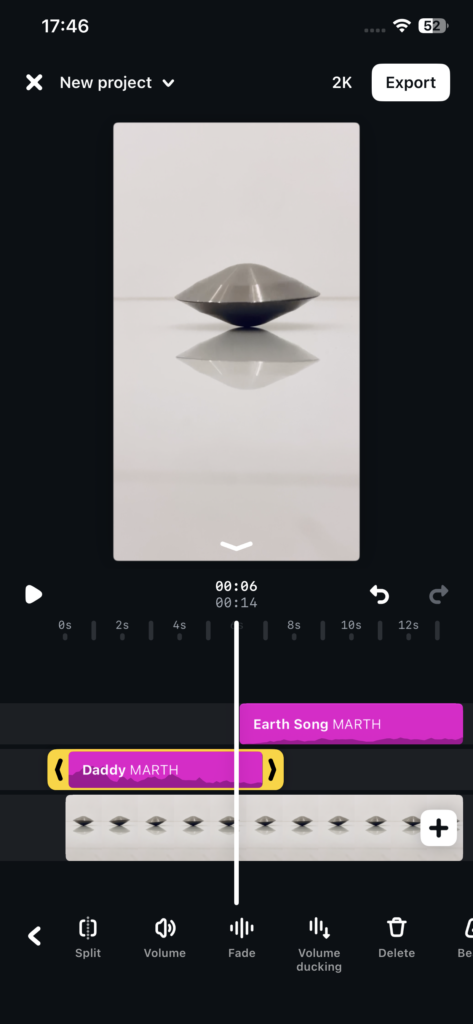
💡 Pro Tip: Create Multi-Track Videos!
Using Instagram’s advanced editing features (available via the “Open in Edits” button), you can actually use two different songs in a single video.
As shown in the screenshot, you can layer tracks like “Daddy” and “Earth Song” to create a unique atmosphere that matches your creative vision.
We can’t wait to see your work!
The possibilities are endless, and we are excited to see the wonderful creations inspired by your unique vision.
Please mention @marth_healing in your posts! It truly encourages MARTH and the MARTH FILM team to see how his music is reaching and inspiring people around the world.